Nine screens, drawn before they were built.

Every one states the endpoints it exercises in a small mono line. That is deliberate: it doubles as documentation, and a screen that cannot name its endpoint usually does not know what it is doing.

  1. Transfers

    The screen you will have open. A sidebar of status filters, categories and tags, a live speed graph, and the list itself in whichever of the three densities you chose. Everything on it comes from one polled endpoint.

    sync/maindata
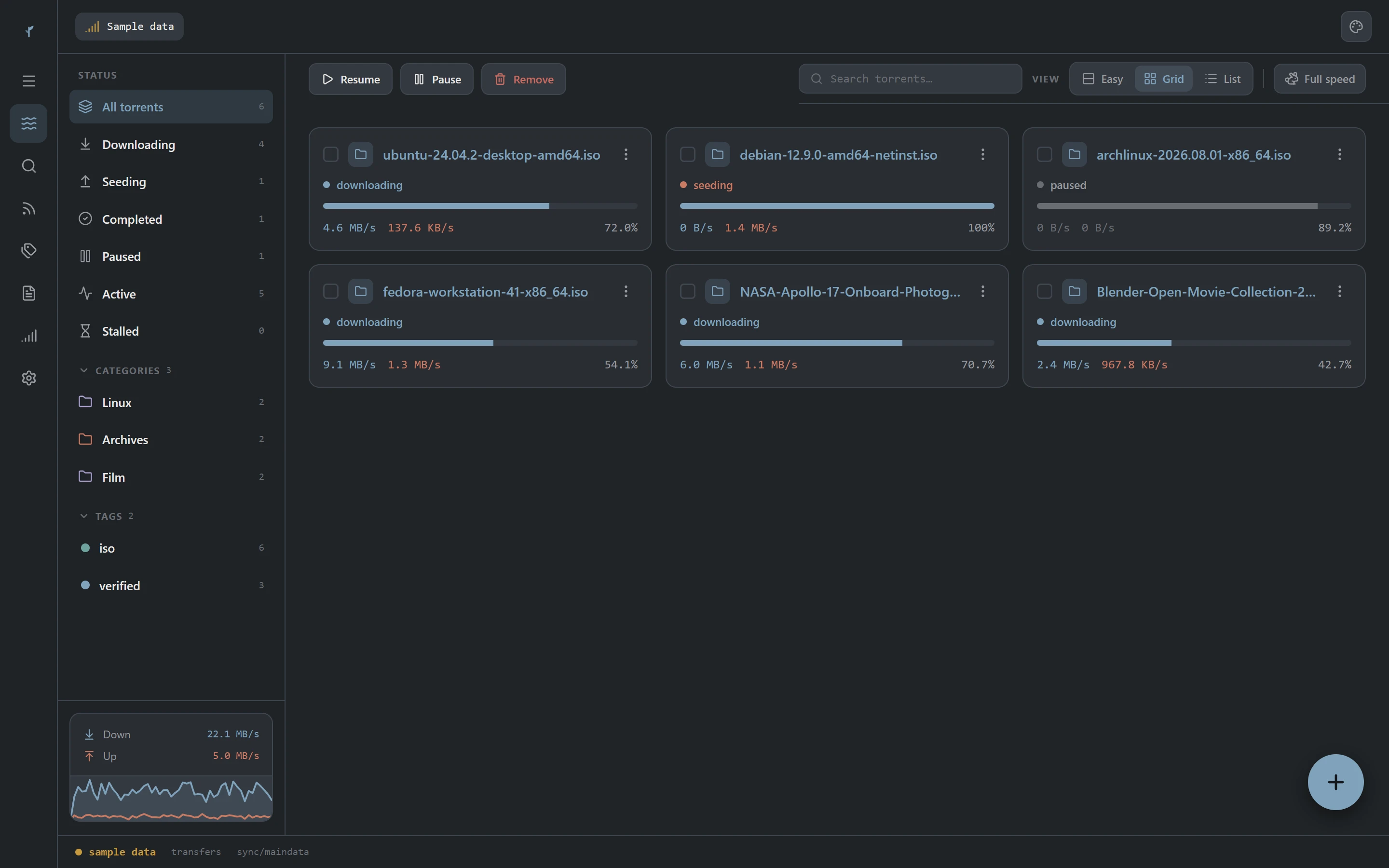
    Transfers
  2. Easy, for people new to this

    Big cards, plain language, few numbers. "4 minutes left" rather than a rate and an ETA you have to combine yourself. It is a view rather than a lesser mode: the same data, the same actions, chosen during setup and switchable whenever.

    sync/maindata
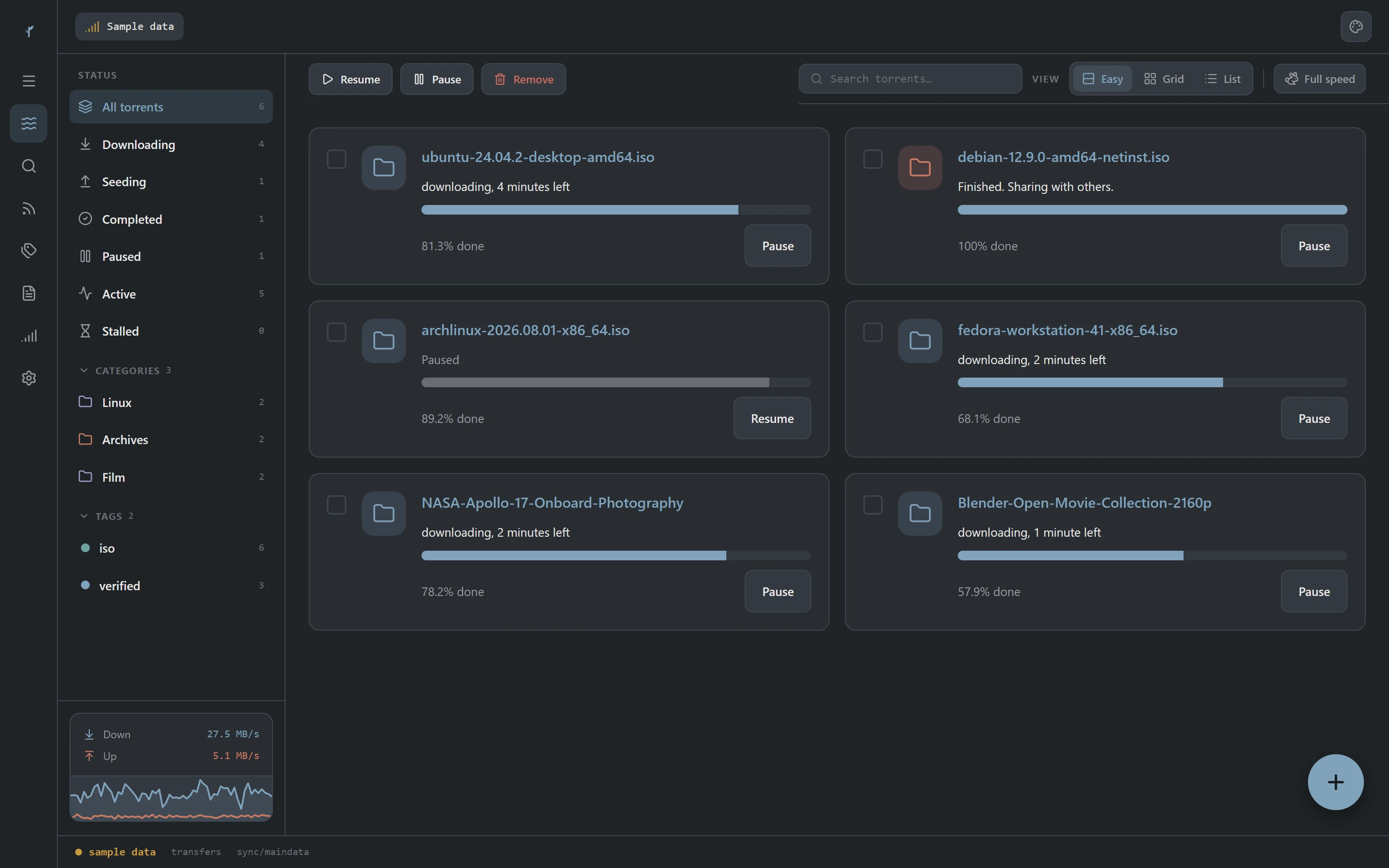
    Easy, for people new to this
  3. Appearance, applied live

    Eight accents and two modes. Changing either retints every surface in the window at once, because the neutrals are mixes of a base tone and the accent rather than fixed greys. Nothing reloads and nothing needs restarting.

    local, never round-trips
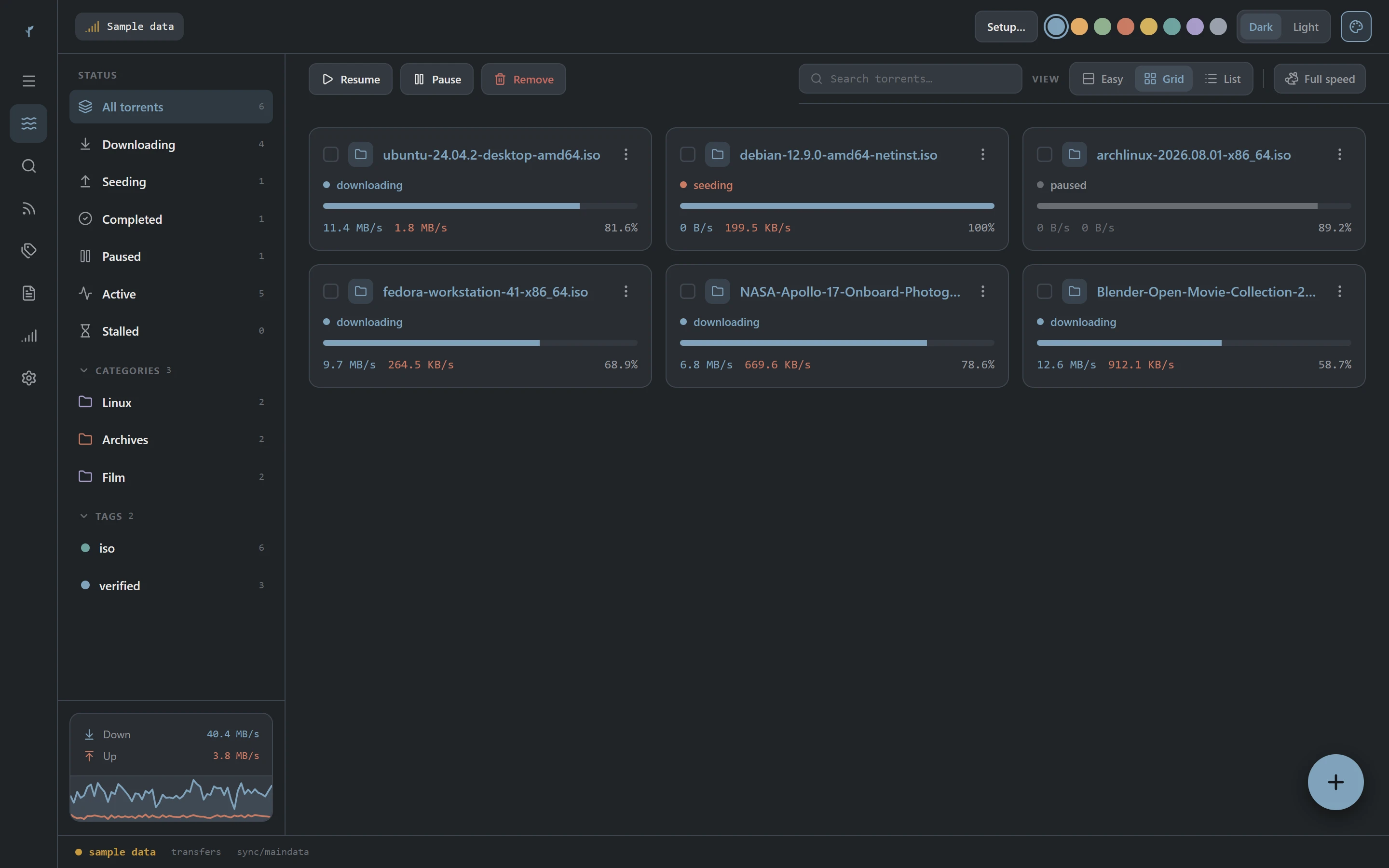
    Appearance, applied live
  4. Light, designed rather than inverted

    Both modes ship with all eight accents, and the tint strengths differ per mode so a surface reads at the same weight in either. Paper white with a soft tint, not charcoal with the numbers flipped.

    torrents/info
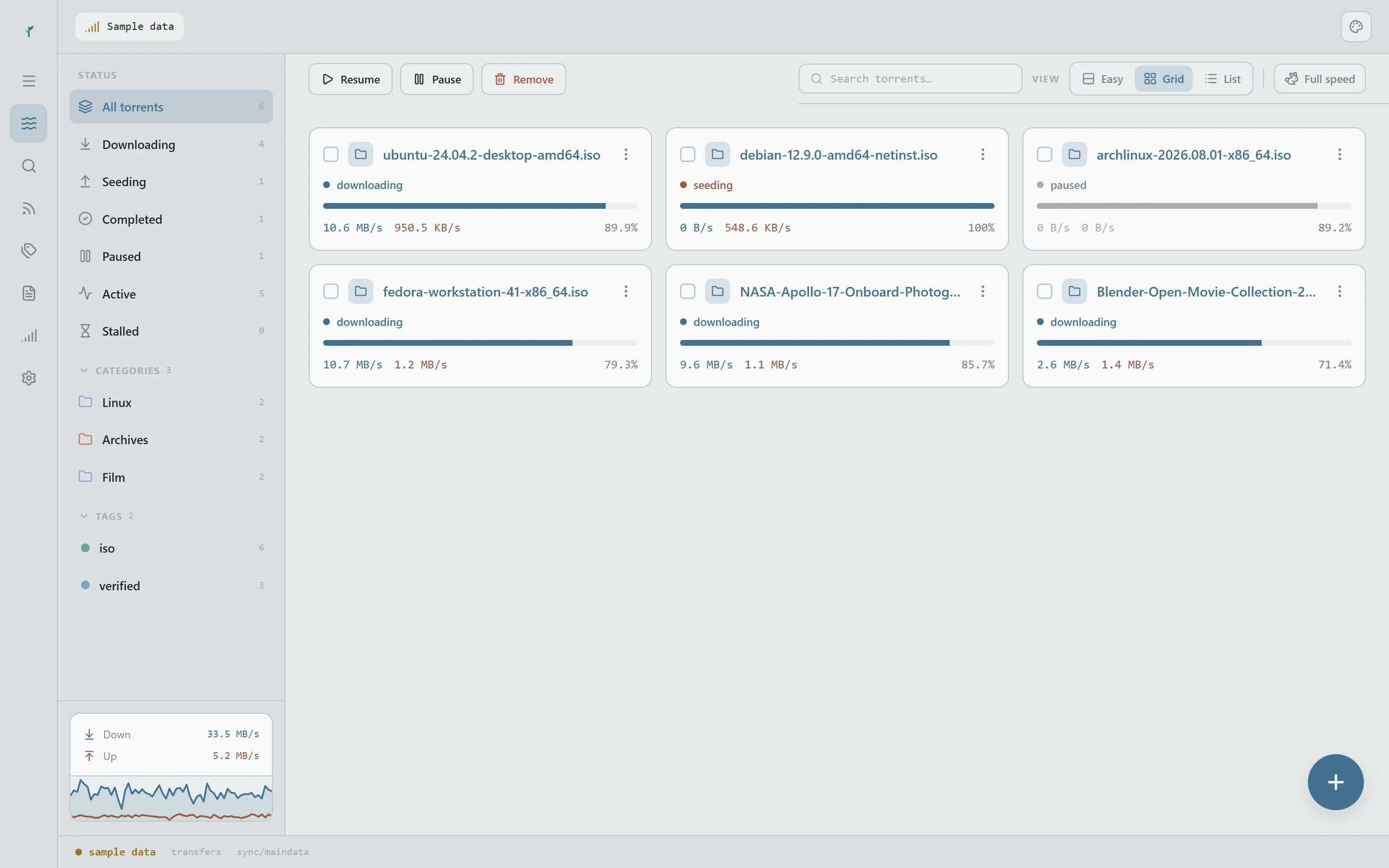
    Light, designed rather than inverted
  5. A first launch that asks

    Where files go, how fast to go, and what to seed, each sitting beside the sentence that says what it does. The stock client has never had this. All of it is changeable later, and none of it blocks you from skipping ahead.

    app/preferences
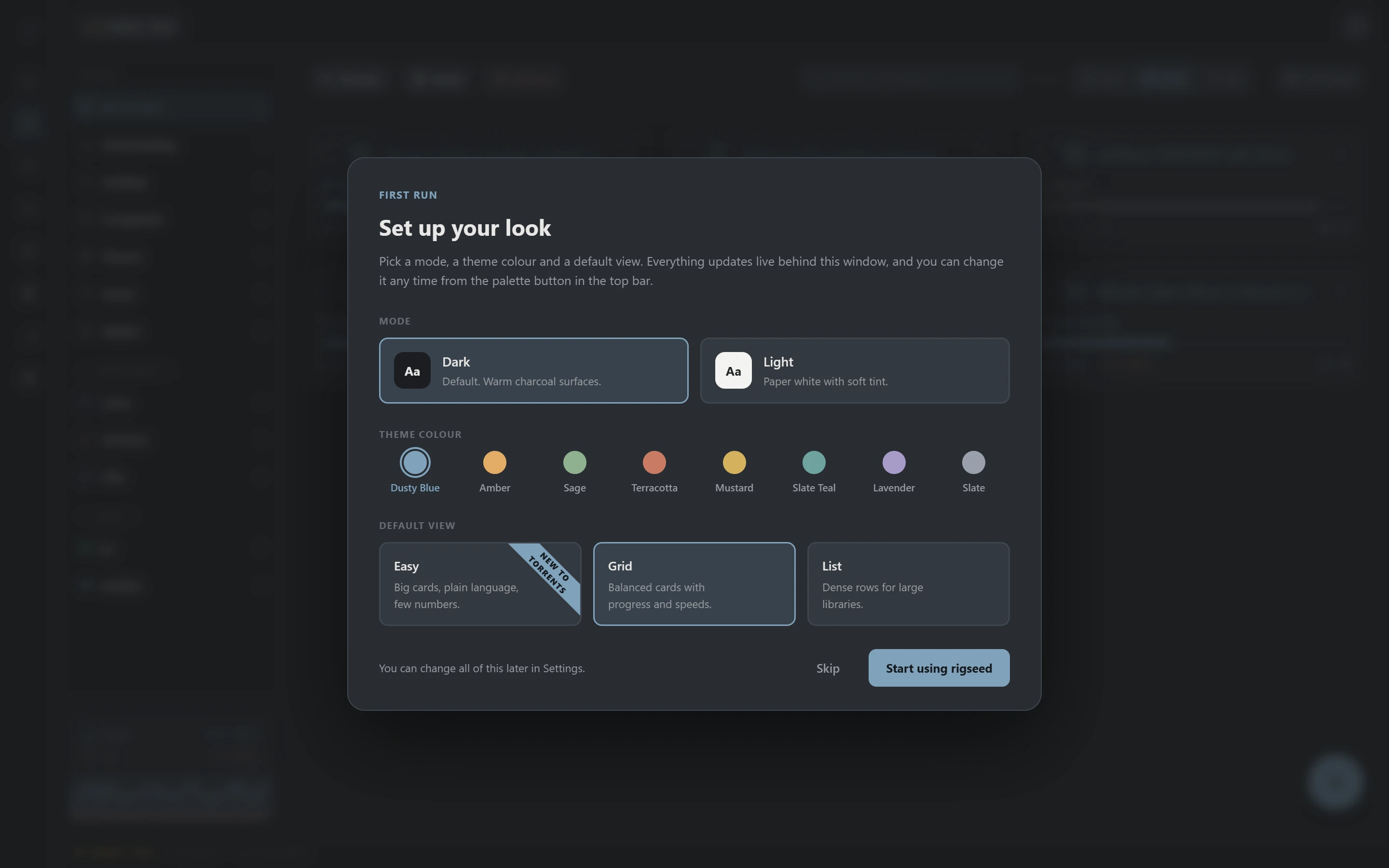
    A first launch that asks

All nine, and what each one talks to.

Five are captured above. The rest are listed rather than mocked up, because a page arguing that it shows the real thing should not illustrate itself with drawings.

ScreenRouteWhat it doesEndpoints
Transfers/The list, with status filters, categories, tags and a live speed graph.sync/maindata
Torrent detail/torrent/:hashFiles, trackers, peers and properties for one torrent, under a tab strip.torrents/properties · torrents/files · torrents/trackers · sync/torrentPeers
Add torrentmodalFile or magnet, with save path, category and start behaviour before it begins.torrents/add · torrents/categories
Search/searchQueries through installed plugins, results arriving per engine as each answers.search/start · search/results · search/plugins
RSS/rssFeeds on the left, items or the matching rule editor on the right.rss/items · rss/setRule · rss/addFeed
Categories and tags/categoriesCategories carry a save path and can manage it; tags are free-form labels.torrents/categories · torrents/tags
Connectionsfrom TransfersEvery instance the app can drive, bundled or reached over the network.app/version · transfer/info · auth/login
Logs/logsEverything the daemon has reported since it started, newest first.log/main · log/peers
Settings/settingsTwo panes, with each preference sitting next to what it actually changes.app/preferences · app/setPreferences

It is one download and no account.

Free and open source, under Apache 2.0. Every file is published with its SHA-256 so you can check what you got before you run it.

Builds are not code signed yet, so Windows and macOS will both warn you on first open.What that looks like and why.